DevOps
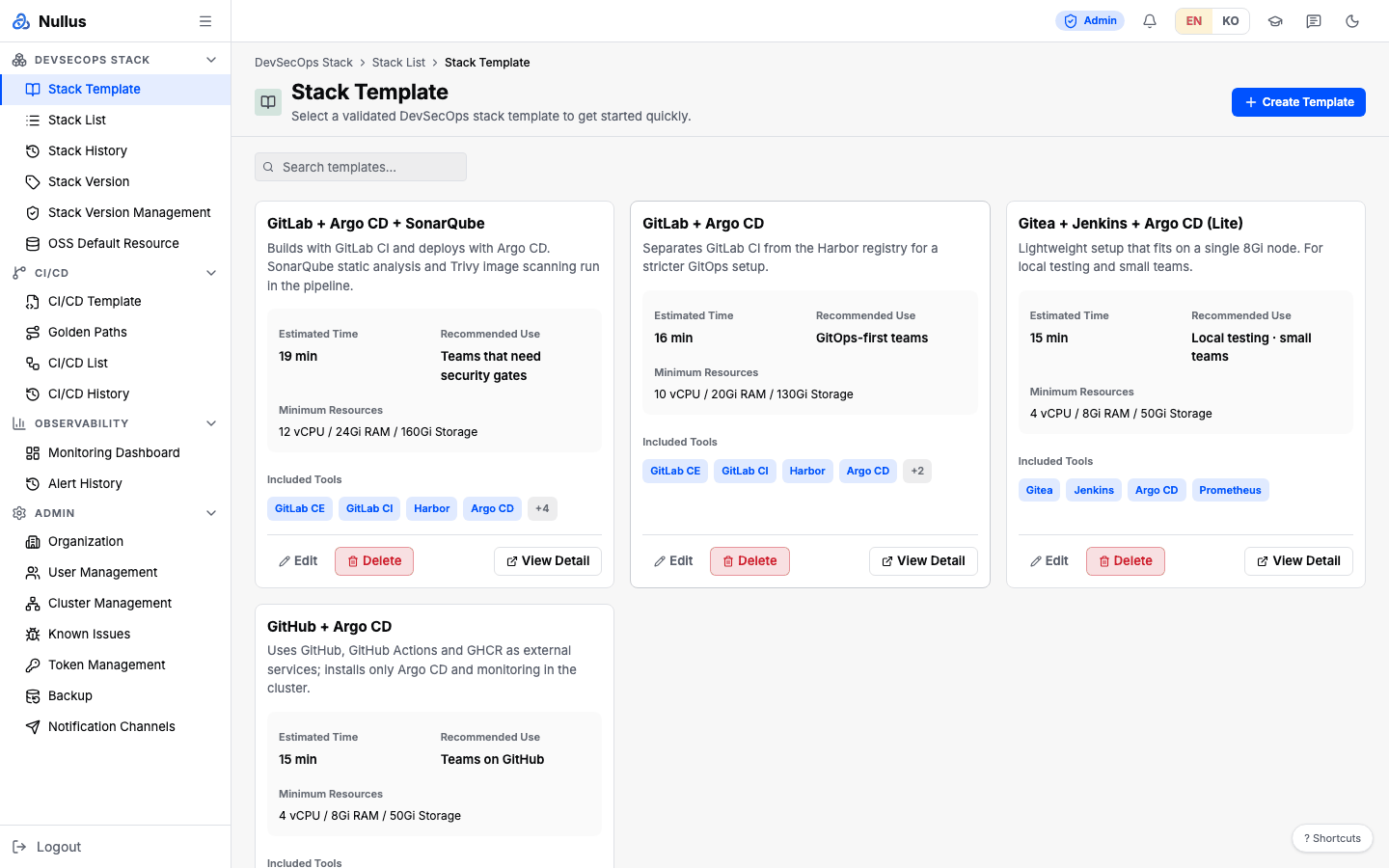
After login you land on the Stack Template (/stack/templates) screen. The sidebar
shows 11 items — only the Admin group and Stack Version Management are hidden.
What you do
graph LR
  T[Stack Template] --> I[Stack Install] --> D[Deployment progress] --> L[Stack List]
L --> C[CI/CD Template] --> P[App Deploy]- In Stack Template, pick a combination and
click
Use This Template - In Stack Install, fill in the stack name, cluster, and namespace, then fine-tune the tabs. Run the 10 checks with Dry Run
Deploy→ watch the logs on the deployment progress screen- In Stack List, check status, workloads, and vulnerabilities, and edit values on the Config tab if needed
- Create a pipeline through CI/CD Template → App Deploy
- Keep an eye on things with Monitoring Dashboard and Alert History
Menus you can see
| Group | Items |
|---|---|
| DevSecOps Stack | Stack Template · Stack List · Stack History · Stack Version · OSS Default Resource (5) |
| CI/CD | CI/CD Template · Golden Paths · CI/CD List · CI/CD History (4) |
| Observability | Monitoring Dashboard · Alert History (2) |
The Create Template, Edit, and Delete buttons on Stack Template are visible only to admin. The Stack Version Management screen, where you edit the compatibility matrix, is also admin-only.
Where you get stuck
The install wizard's dropdowns may be empty
/stack/install is open to devops, but four things the screen needs to fill in
come from admin-only APIs — target cluster, namespace,
StorageClass, and organization resource profile.
With authentication enabled, these selections will likely show up empty because of 403s. In that case, ask an admin to register the cluster and save the resource profile.
What does not work today
| Feature | Status | Alternative |
|---|---|---|
| Rollback in Stack History | Request format mismatch, returns 400 | Edit values directly on the Config tab in Stack List |
| Validate Current Stack in Stack Version | Missing server wiring, returns 400 | Dry Run in the install wizard |
| Status filter in CI/CD List | Values do not match, so the table empties | Use the search box |
| Build and deploy settings in the Execute dialog | Not sent | — |
| Server-side Pre-Deploy Gate | Disabled | Client-side checks and Dry Run |