Notification Channels
/admin/notifications admin
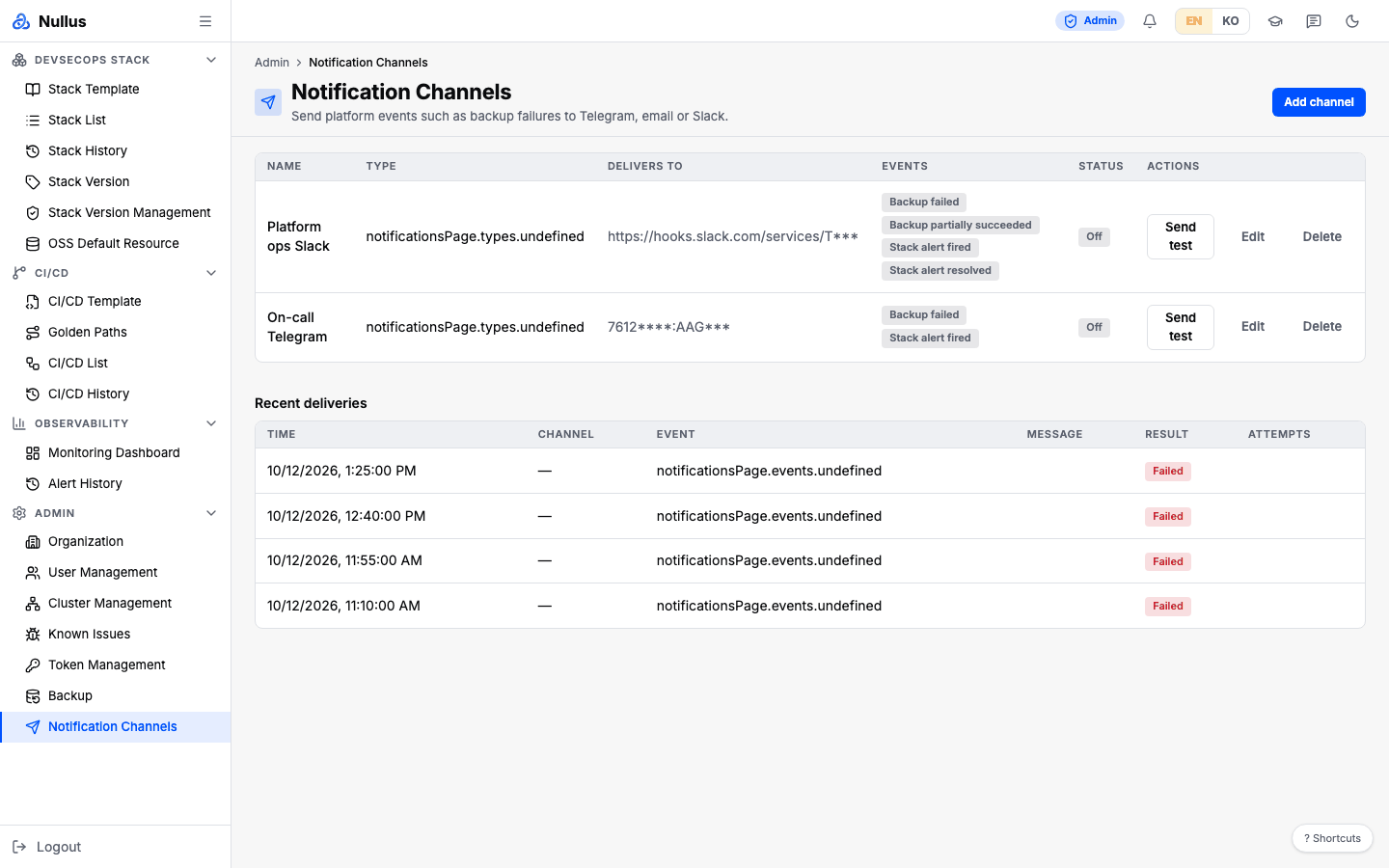
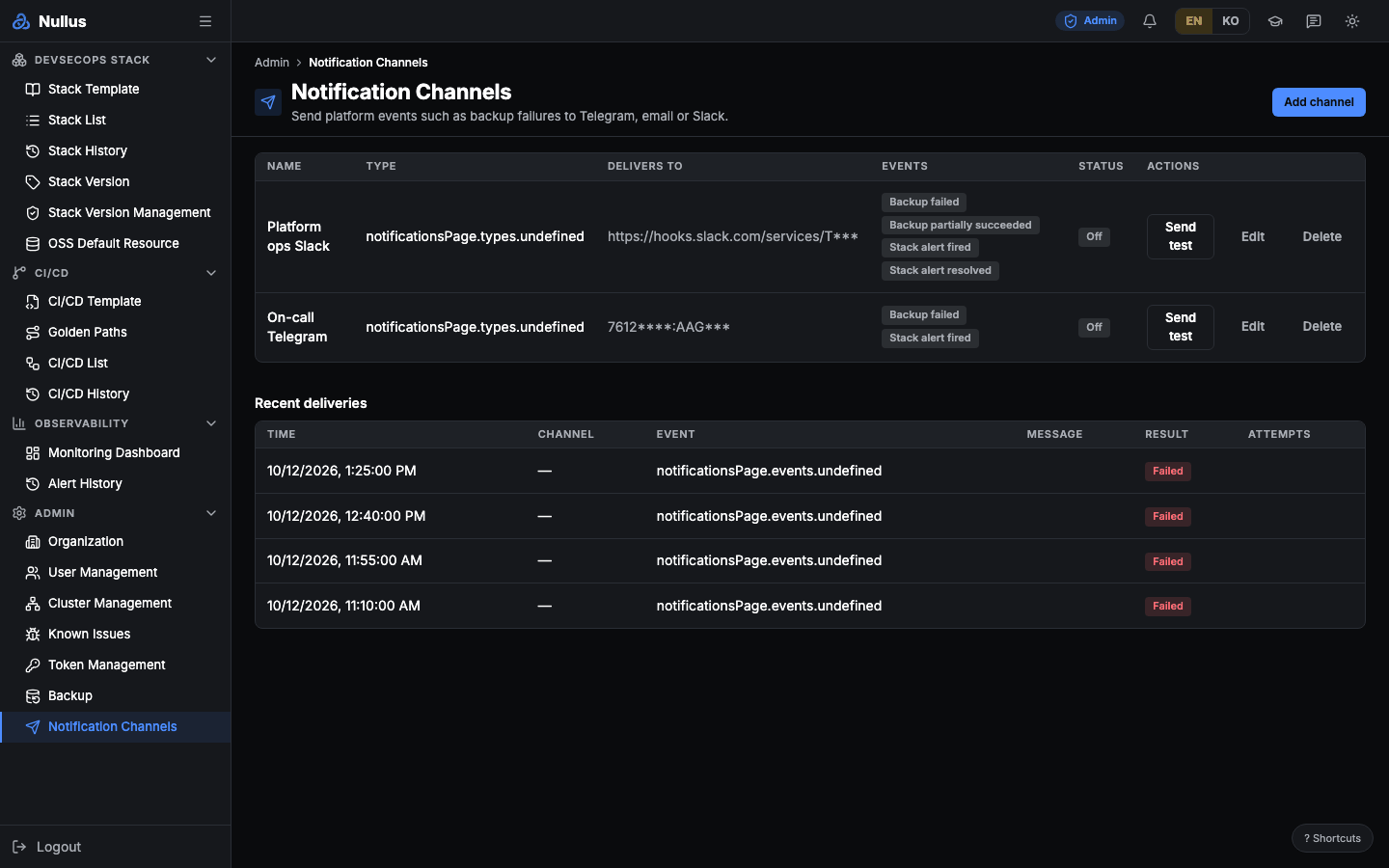
Register the channels that receive alerts and platform events. In the screen's own words: "Send platform events such as backup failures to Telegram, email or Slack."
Three channel types
| Type | Secret | Settings |
|---|---|---|
| telegram | Bot token | chat_id (a number, possibly negative, or @channelname) |
| slack | Incoming Webhook URL (https only; http is allowed only for loopback) | None |
| SMTP password (only when you use an account) | smtp_host · smtp_port · smtp_security (starttls·tls·none) · username · from · to (1–20 addresses) |
The default email port depends on the security mode: starttls 587 · tls 465 · none 25. Recipient addresses are checked for format, and any address that contains a newline character is rejected.
There is no generic webhook channel
Only the three types above.
Register a channel
In the dialog, you fill in Name (up to 100 characters) · the Channel type radio (locked when editing) · the type-specific fields · the Events to receive checkboxes · Enabled.
The event list renders the catalog returned by the server as is.
You cannot change the type later
The update request has no type field. To change the type, create a new channel.
For email, if you change the server, port, security mode, or account, you must enter the password again.
Events you can receive
| Event | Default | When |
|---|---|---|
backup_failed |
On | A backup ended in failure |
backup_partial |
On | A backup finished with some items missing |
backup_succeeded |
Off | A backup succeeded |
alert_fired |
On | A critical alert fired on a stack |
alert_resolved |
On | That alert was resolved |
stack_cve_found |
On | A new fixable CRITICAL vulnerability was found in the OSS images a stack installed |
These six are all of them. For how alerts are collected and delivered, see Observability.
stack_cve_found is sent once per stack, bundling every "fixable CRITICAL" that the installed-image rescan
(every 24 hours by default) found and that has not been reported yet. Its severity is critical if any of
them is in an image reachable from outside the cluster (gateway · LoadBalancer · NodePort), otherwise warning. The message carries up
to five CVEs (package installed → fixed version · image · exposed host); the rest are on the
Image Vulnerabilities tab of the stack detail. The first notice for a stack reports everything there now at once,
labelled as the first notice — for a new stack, what was there at install time; for a stack installed before this
event existed, its current state. A CVE already reported for a stack is not reported for it again — even if one
image's scan failed in between and then came back, or a channel failed to deliver (the failure stays in the
delivery history). Channels created before this event existed do not
receive it automatically — edit the channel and tick it.
Two tables
The channel table — Name · Type · Delivers to · Events · Status · Actions (row actions: Send test · Edit · Delete). If the stored secret cannot be decrypted, a warning is shown.
The Recent deliveries table — Time · Channel · Event · Message · Result · Attempts.
The result is Sent or Failed, shown together with the failure reason.
Raw secrets are never included in responses
The channel response contains only indicators: whether a secret is set, a hint, and an "unreadable" flag.
Send test
It sends a real message through the same delivery path the channel uses for real events — retries included, up to 3 attempts. The result comes back in the response and is also recorded as a row in the delivery history.
It sends even to disabled channels
The test message goes out even if the channel is not active.
A failure still returns 200
The HTTP status is success. To know the result, read status · error · attempts
in the body.
The message has the title Nullus 알림 테스트 ("Nullus notification test"), the summary
'<name>' 채널 설정이 맞습니다… ("The '채널=<type> ("channel=test, and it is not
something you can subscribe to.
How delivery works
When an event occurs, it is sent concurrently to every channel in the organization that is enabled and subscribed to that event. Each send makes up to 3 attempts, waiting 1 second, then 2 seconds between them (capped at 10 seconds), and each attempt times out after 20 seconds. Every result is recorded in the delivery history.
APIs it calls
| Action | Endpoint |
|---|---|
| Event catalog | GET /api/v1/admin/notifications/events |
| List | GET /api/v1/admin/notifications/channels |
| Create | POST …/channels |
| Get | GET …/channels/{id} |
| Update | PATCH …/channels/{id} |
| Delete | DELETE …/channels/{id} |
| Send test | POST …/channels/{id}/test |
| Delivery history | GET …/notifications/history?limit= (default 50, max 200) |