Stack Install
/stack/install admin devops
On this screen you refine the setup taken from a template and deploy it to a cluster. It is not in the sidebar; you get here by clicking Use This Template on Stack Template.
It is not a sequence of ordered steps but 10 tabs. There is no progress indicator (stepper), and you can click Deploy from any tab.
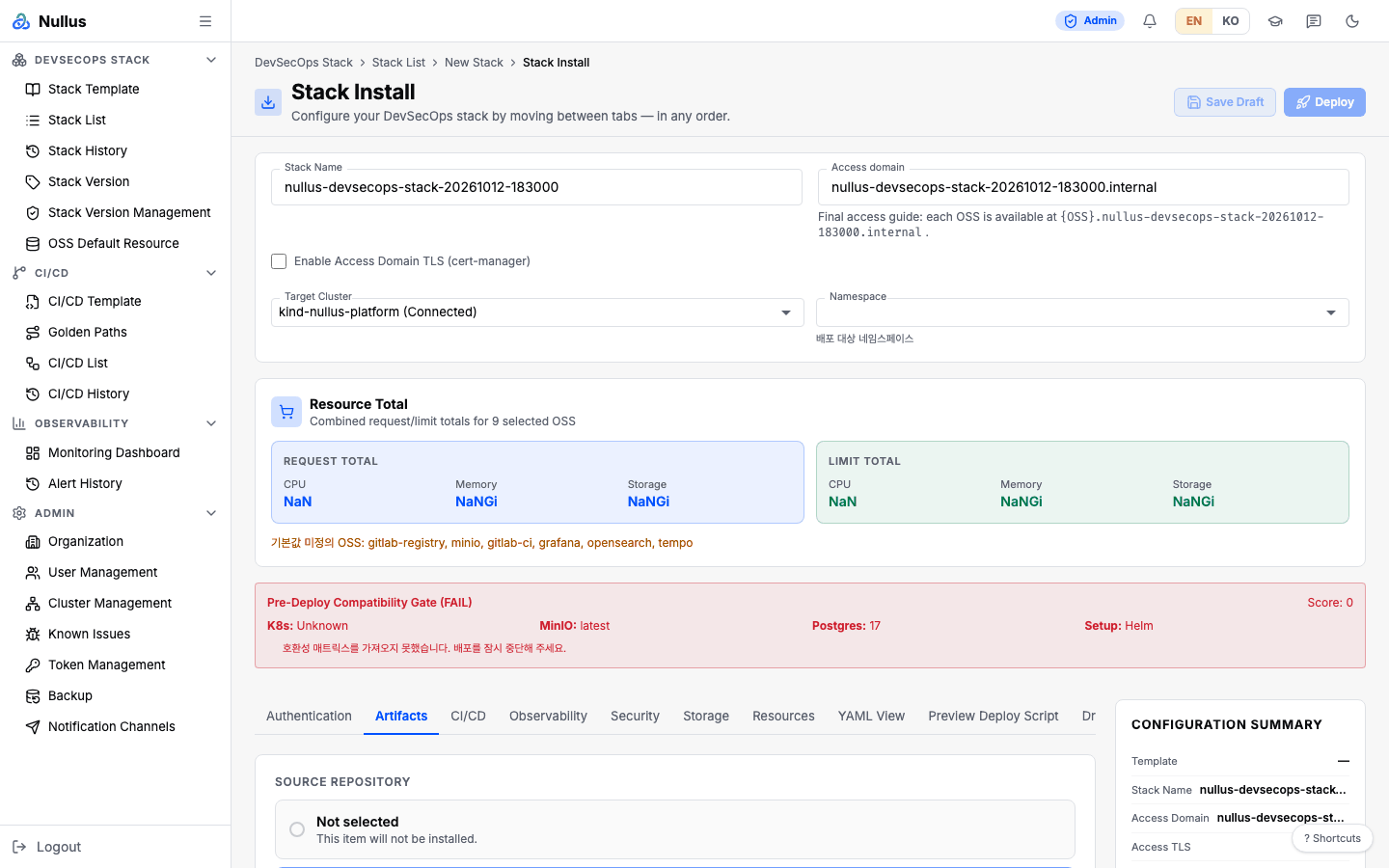
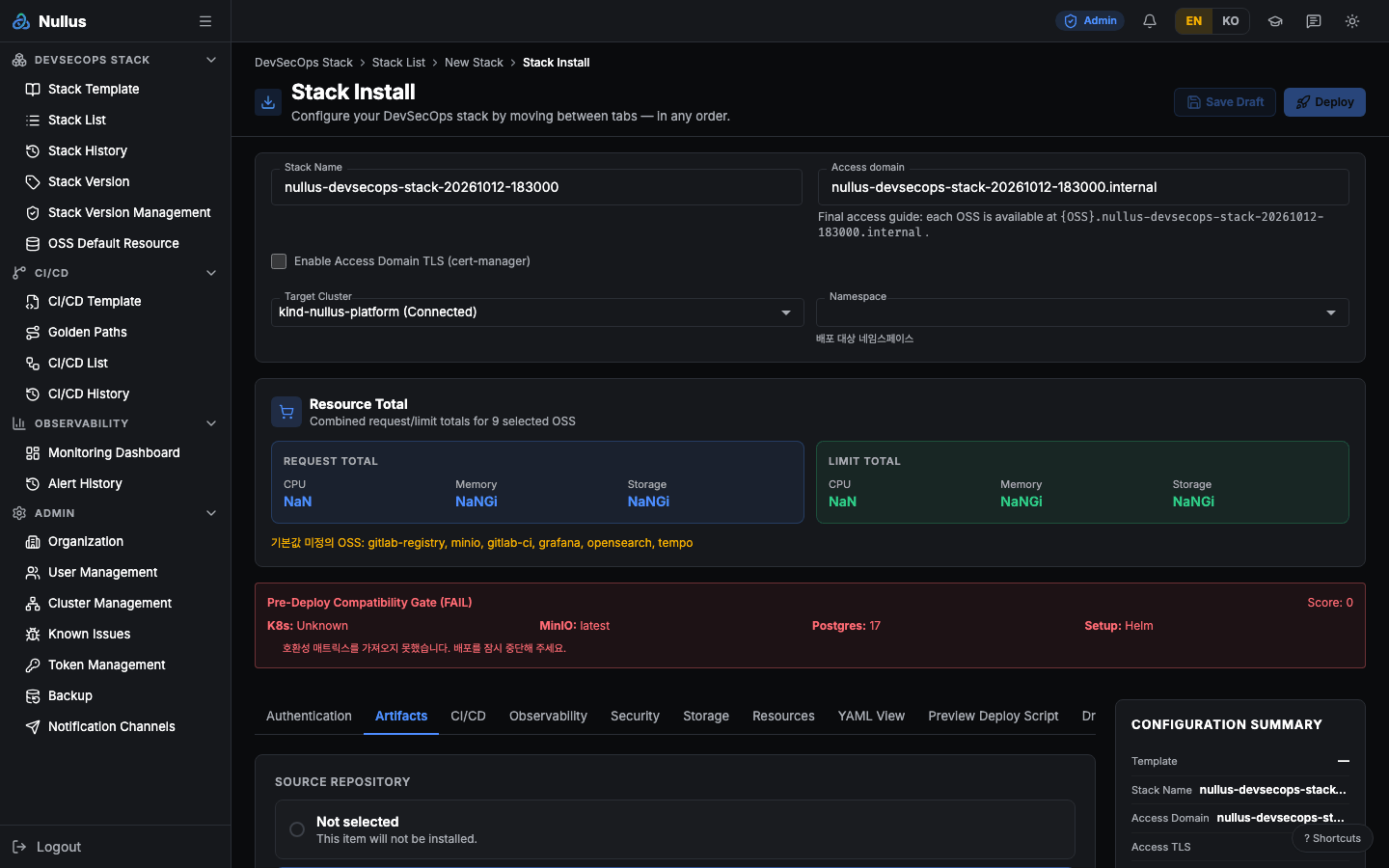
Fill this in first, not a tab: the header card
This card always sits above the tabs. It holds the inputs that are actually required.
| Field | Rule |
|---|---|
| Stack Name | Required. 2–50 characters: letters, digits, and hyphens (^[a-zA-Z0-9-]+$). Rejected if the same cluster already has a stack with that name |
| Access domain | Defaults to {stack-name}.internal. Each tool is reached at {tool}.{stack}.internal |
| Enable Access Domain TLS (cert-manager) | When checked, three fields become required: TLS Secret Name, TLS Secret Namespace, and cert-manager Issuer Name |
| Target Cluster | Required. Shown together with its connection status |
| Namespace | 기본 (nullus) (default) · an existing namespace · 새 네임스페이스 생성... (create a new namespace) |
On the right, a pinned Configuration Summary panel keeps showing the values you have chosen. The two buttons at the top are Save Draft and Deploy.
The 10 tabs
| # | Tab | What you choose |
|---|---|---|
| 1 | Authentication | None, or OpenBao |
| 2 | Artifacts | Source Repository · Container Registry · Package Registry. Choosing GitHub opens fields for the Organization, API base URL, and Personal access token |
| 3 | CI/CD | CI/CD Platform · CD Tool |
| 4 | Observability | Visualization (multiple) · Metrics · Logs · Traces · Exporter / Agent |
| 5 | Security | Image Scanner · Static Analysis (SAST) · Third-party Dependency Vulnerabilities (SCA) |
| 6 | Storage | Storage Plan (Not selected / Connect existing DB/Storage / Create and connect integrated DB/Storage) · StorageClass · Database · Object Storage |
| 7 | Resources | Sizing Profile (Local · Startup · Standard · Enterprise, plus organization profiles) · applied CPU, memory, and storage values per tool |
| 8 | YAML View | Edit the Gateway and per-tool manifests directly in a Monaco editor |
| 9 | Preview Deploy Script | Review the generated <stack>-deploy.sh, read-only |
| 10 | Dry Run | Run 10 checks and see PASS/WARN/FAIL |
Log settings live inside the Observability tab — there is no separate Logging tab.
Seven tabs are always open; three are conditional
To move to YAML View, Preview Deploy Script, or Dry Run, you need a stack name (not a duplicate), a target cluster, and (in new-namespace mode) a namespace. Otherwise the screen sends you back to the Artifacts tab.
The 10 things Dry Run checks
Stack name format · cluster selection · namespace validity · access domain rules · Gateway TLS · install file generation status · YAML/values validation · resource floors · bundled OSS version conflicts · storage plan.
The Run Dry Run button only stamps the "last run" time — the checks
themselves are recomputed every time a value changes.
Object storage: pick the implementation
On the Storage tab, Object Storage → Storage Provider picks the S3-compatible storage the stack runs in-cluster. Storage you create (the integrated create plan) is one of these two.
| Implementation | License | What gets installed | Web console |
|---|---|---|---|
| MinIO (SILO) | AGPL-3.0 — the image is the community fork SILO (pgsty/silo); screens show this name with the SILO mark |
release nullus-minio (standalone) |
minio.<domain> (Keycloak sign-in) |
| SeaweedFS | Apache-2.0 | release nullus-seaweedfs (all-in-one — master, volume, filer and S3 gateway in one pod) |
None — S3 API only |
GitLab (artifacts, LFS, uploads, packages, Pages, Container Registry) sees only the
S3 contract — endpoint, access key, secret key, region and path-style. So the same
template installs with either implementation, and the compatibility matrix does not
split combinations on this field. Buckets are created with a plain S3 CreateBucket
over HTTP, with no vendor CLI. The credentials are generated in the stack vault
(OpenBao) like every other secret, and the connection info screen shows the endpoint
and Secret of the implementation you picked.
- When a template picks SeaweedFS, the Storage tab picks it up too.
- The SeaweedFS data volume follows the Storage tab size (small 50Gi · medium 100Gi · large 300Gi).
- Existing stacks saved without a name, and names Nullus does not recognize, still install MinIO as before.
You cannot switch implementations after installing
There is no data migration. A switch would leave the new storage empty, and GitLab could not find its existing artifacts, uploads or images. So on a stack where the other implementation is already running, the install stops at the secret provisioning step and says why. Switch back, or create a new stack.
Deploy
The Deploy button stays disabled if any of the following is true:
- The stack name is empty, shorter than 2 characters, or a duplicate
- No cluster is selected
- New-namespace mode is on but the namespace is empty
- There are manifest validation errors
- The client-side compatibility check is
fail, or it iswarnand you have not acknowledged it
When you click it, the screen creates the stack with POST /api/v1/stacks
(reusing an existing row for the same cluster and name if one is in progress or
pending), starts the deployment with POST /api/v1/stacks/{id}/deploy, and
then navigates to /stack/deploy/{id}.
Save Draft calls POST /api/v1/stacks/draft.
Deploy progress screen
/stack/deploy/:id · /stack/logs/:deploymentId
Both paths render the same screen. It shows a stage timeline and progress bar, the last error on failure, a list of warnings and errors, a collapsible Raw Logs panel, a Continue button, and a panel that shows the namespace's pods in real time.
Logs and pods arrive over WebSocket (/ws/deployments/{id}/logs,
/ws/deployments/{id}/pods).
WebSockets are authenticated only in oidc mode
If auth.mode is not oidc, no authentication middleware is attached to
the sockets. That is because a browser WebSocket cannot carry X-User-*
headers.
Good to know
The server Pre-Deploy Gate does not work
The screen has a "Server Pre-Deploy Gate" panel and a checkbox to acknowledge server warnings, but the deploy handler is assembled without compatibility validation, so the server check passes straight through (it just returns). The only checks that actually run are the client-side matrix and architecture checks.
Resource estimates are not computed on the server
A POST /api/v1/stacks/estimate endpoint exists, but nothing calls
it. The numbers on the Resources tab are computed in the browser from
resource-defaults.
Caveats about export and import are in Stack List.