Stack Version¶
/stack/version admin devops
A compatibility matrix that shows which tool-version combinations have been
validated. /stack/versions renders the same screen.
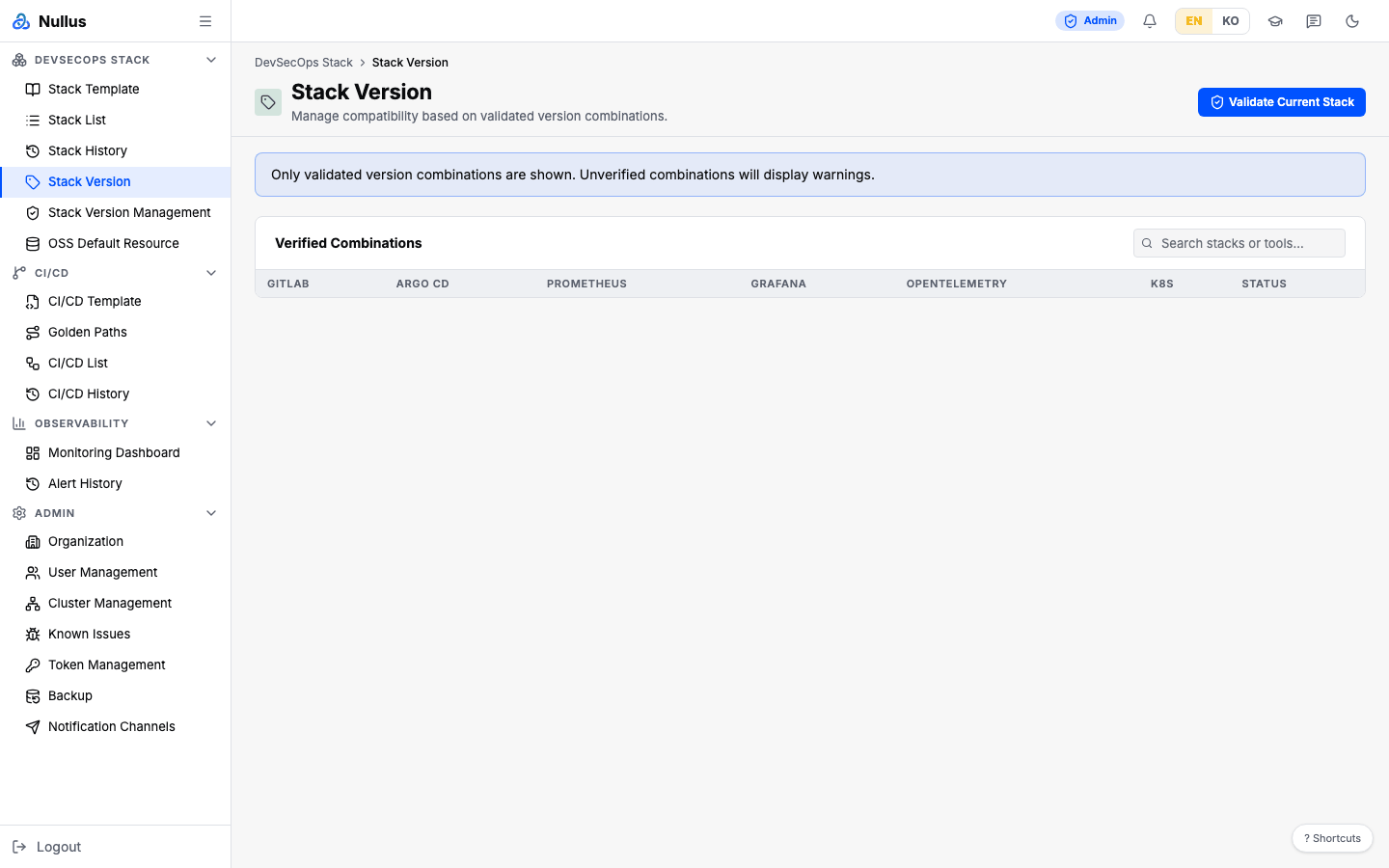
Table¶
The columns are fixed at seven: GitLab · Argo CD · Prometheus · Grafana ·
OpenTelemetry · K8s · Status. A matrix whose ID contains gitlab-argocd gets
a Recommended badge. You can narrow the list with Search stacks or tools....
Only matrices that include GitLab are shown
The table draws only matrices whose name contains gitlab. Matrices based
on GitHub or Gitea do not appear on this screen, even if they are
registered. See the full list on the
Stack Version Management screen.
Validate Current Stack¶
This button does not work right now
The button calls the API with the string current in place of the stack
ID, and the server interprets that as the mode that inspects a stored
stack. But the validation use case is assembled without a stack
repository, so the call returns a 400 with
"persisted validate mode requires a stack repository".
For the same reason, every call to
POST /api/v1/stacks/{stackId}/validate in stored-stack mode fails. The
client-side checks used by the install wizard are not affected.
Stack Version Management¶
/admin/stack-versions admin
The admin screen for registering and editing matrices. In the sidebar it sits
inside the "DevSecOps Stack" group, but its path is under /admin/.
On the left is the matrix list (name, a verified / untested /
unsupported badge, ID, and K8s <range> · N tools). The detail view on the
right shows the Kubernetes version range, a tools table (Name · Helm · App ·
Arch · Min K8s · Tier), and a cluster compatibility table (Cluster · Node
Architectures · Compatibility). Each cluster has a Refresh Discovery button
that re-reads its node architectures
(POST /api/v1/admin/clusters/{id}/refresh-discovery).
The search and status filter bar appears only when there are more than 5 matrices.
New matrix, Edit, and Delete return 404
The three buttons call /api/v1/admin/compatibility/matrices, but the
function that registers those routes is never called on the server.
Even if it were, the management option is missing, so it would do nothing.
Right now, the only way to add a matrix is through migration seed data.
Upgrade Bundles¶
/admin/stack-versions?tab=upgrade-bundles admin
The second tab of the same screen, Upgrade Bundles. It registers and manages the verified upgrade paths (source chart version → target chart version) that the Version Upgrade tab in Stack List offers as candidates. Bundles belong to the whole platform, not to an organization. Argo CD is the only tool that can be upgraded today.
The table shows tool · path (source → target, with app versions) · risk · backup · fixed CVEs · status · registration date, and each status gets the action buttons it can move to.
| Status | Meaning | Can move to |
|---|---|---|
| Draft | Hidden from candidates | Mark verified (rehearsal confirmation required) · Revoke |
| Verified | Offered as a candidate on every stack running the source version | Deprecate · Revoke |
| Deprecated | No longer offered | Mark verified (rehearsal confirmation required) · Revoke |
| Revoked | Withdrawn | — (cannot be undone) |
Register with New bundle. Picking a tool fills in the Helm release name, chart
name and chart repository; then enter the source and target chart versions and app
versions, risk level, expected disruption, release notes, fixed CVEs, supported
architectures, and Require a backup from the last 24 hours before running. With
Register as set to Verified, you must tick I rehearsed this path on a real
cluster — otherwise the server refuses (UPGRADE_BUNDLE_REHEARSAL_REQUIRED). That
is what keeps an unrehearsed path from ever becoming runnable.
What the server checks
Whether the tool is supported, whether the source and target chart versions parse
and the target is higher, whether the chart repository is https · http · oci,
and whether CVEs look like CVE-YYYY-NNNN. A bundle with the same ID or the same
path (tool · source · target) is a 409. The target app version is what the health
check compares with the server image tag after the upgrade — a wrong value rolls
the upgrade back.
Registration and status changes are written to the audit log
(register_upgrade_bundle · change_upgrade_bundle_status). The rehearsal procedure
and what a bundle means are in the design document Nullus_OSS_업그레이드_설계.md §12.
APIs it calls¶
| Action | Endpoint |
|---|---|
| Matrix list | GET /api/v1/stacks/compatibility |
| Validate stack | POST /api/v1/stacks/{stackId}/validate |
| Refresh node discovery | POST /api/v1/admin/clusters/{id}/refresh-discovery |
| Bundle list · register | GET · POST /api/v1/admin/upgrade-bundles |
| Change bundle status | PATCH /api/v1/admin/upgrade-bundles/{id}/status |