App Deploy
/cicd/developer-deploy admin devops developer
The screen for putting one app on a pipeline. When a developer logs in, they land here directly. No role has a sidebar entry for it; you get here from the buttons on CI/CD List and CI/CD Template, or from the home screen.
The step strip scrolls; it does not navigate
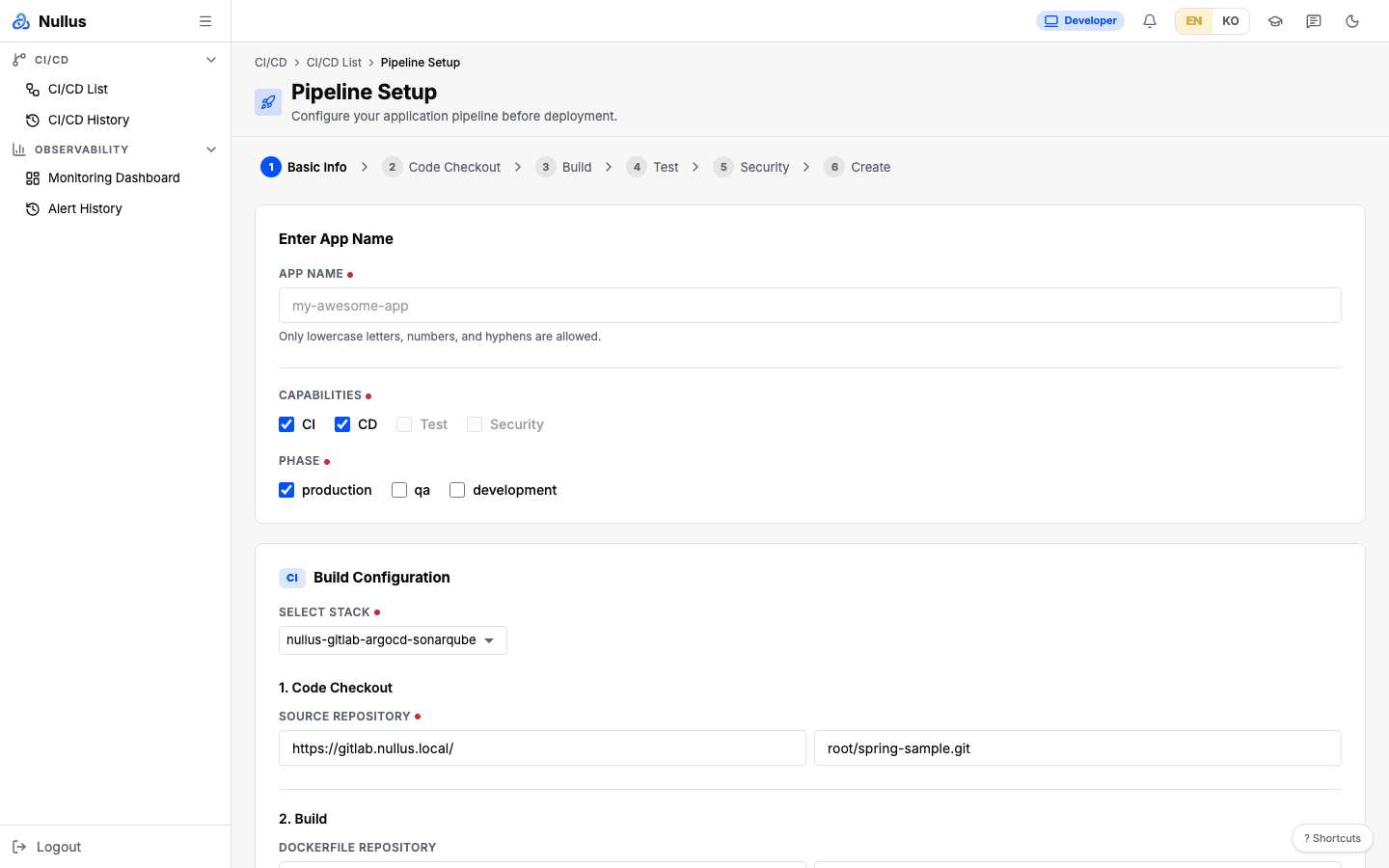
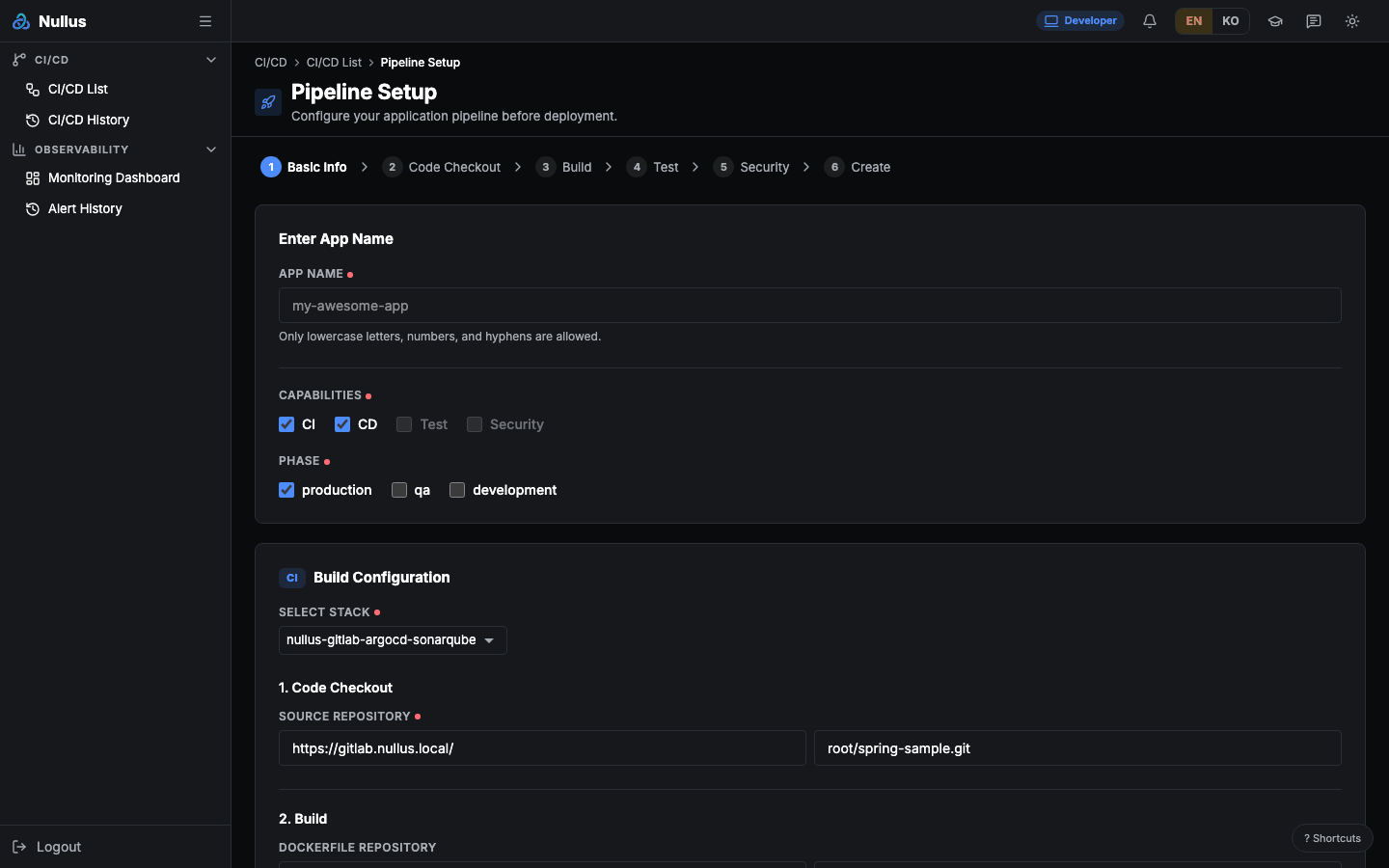
At the top are six cells — 1 Basic Info · 2 Code Checkout · 3 Build · 4 Test · 5 Security · 6 Create —
but there are no Next/Previous buttons. Clicking a cell only scrolls to
that spot. Steps 2 and 3 share the same section, and 4 (Test) and 5
(Security) are not rendered at all — those features are permanently
disabled in code.
What you fill in
Basic Info
| Field | Rules |
|---|---|
| App Name | Required. 2–50 characters |
| Capabilities | CI · CD · Test · Security checkboxes. CI and CD are on by default; Test and Security are disabled |
| Phase | production · qa · development. Default: production |
You can choose a Phase, but it is not included in the create request — it never reaches the server.
Code Checkout and Build (when CI is selected)
First, use Select Stack to choose
which stack's tools to use (if there are no stacks, the only option is
Manual Input). A stack-bound pipeline does not ask for a repository; the screen shows where
the platform will actually create it — the repository is always <group>/<app name>
(GET /api/v1/cicd/repository-location?stack_id=… returns the group and web address).
- Source Repository —
<stack SCM address>/<group>/<app name>(read-only). If a repository with that name already exists, it is used as is - Dockerfile Repository — "Dockerfile at the repository root" (read-only)
- Image Registry — "Chosen by the platform in the stack registry" (read-only)
On a server that cannot tell that location (no lookup API, or it fails), the three fields still take paths as before.
Create (when CD is selected)
| Group | Fields |
|---|---|
| Deploy YAML Repository | URL + directory, plus a reload button |
| Cluster & Namespace | Cluster (locked to the stack's cluster once you pick a stack) · Namespace (you can type your own via New Namespace) · Service URL |
| Resource Configuration | Replicas (1–10, default 2) · CPU Request 100m · CPU Limit 500m · Memory Request 128Mi · Memory Limit 512Mi — all required |
| Environment Variables | Add KEY/value rows with Add Variable; delete them with the trash icon |
The Review Manifest panel on the right previews the Deployment · Service ·
Ingress YAML that will be generated, and Execute sits below it.
The reload button cannot find one of the files
It tries to fetch deployment.yaml · service.yaml · ingress.yaml, but
deploy/ingress.yaml is not among the files Nullus writes to the
repository. The third one always returns 404.
When you click Execute
- The execution mode is derived from the Capability combination —
ci_cd·ci·cd - The three manifests from the preview are put into the environment variables
NULLUS_MANIFEST_DEPLOYMENT·NULLUS_MANIFEST_SERVICE·NULLUS_MANIFEST_INGRESS - The pipeline is created with
POST /api/v1/cicd/pipelines - If the response contains warnings, the flow stops here and shows a "Pipeline created, but setup is incomplete" box
- If there are no warnings, it calls
POST /api/v1/cicd/pipelines/{id}/deployand goes to/cicd/pipelines/{id}/logs
Resource settings travel only inside the manifest strings
The server can accept replicas · port · provision_repository ·
registry_credentials, but the screen does not send those four. So the
Replicas, CPU, and Memory values travel only inside the YAML in the
environment variables above.
The fields actually sent are name · app_type · cluster_id · namespace ·
template_id · stack_id · git_repo_url · dockerfile_path ·
docker_context · execution_mode · env_vars.
Stages when the platform deploys directly
For a pipeline that is not linked to a stack, Nullus builds and applies it itself. The stage names it logs then differ from the stages in the CI definition.
Git Clone → Docker Build → Image Load (or Image Push)
→ Create Namespace → Create Deployment → Create Service → Create Ingress
A pipeline linked to a stack has a single stage, Trigger CI — the real work
runs on the GitLab, GitHub, or Jenkins side. For the stages there, see the
CI/CD overview.
The run right after creation does not start a new run; it attaches to the push run of the scaffold commit. That push run appears a few seconds after the commit, so when the branch head commit is fresh the trigger waits up to 20 seconds for it (GitLab CI · GitHub Actions). Two runs of the same commit would both push a deploy commit to the same branch, and one of them would fail.
When the CI deploy stage commits the new image tag back, Argo CD syncs that commit and the app changes. Argo CD checks repositories every 3 minutes by default, so on its own the deploy would land up to 3 minutes after that commit. Creating a pipeline therefore also does the following.
- GitLab stacks get a push webhook on the repository. It targets the stack's Argo CD server
(
http://argo-cd-argocd-server.<stack namespace>.svc:80/api/webhook). GitLab blocks webhooks to in-cluster addresses by default, so only port 80 of that one host is added to the admin allowlist (Admin → Settings → Network → Outbound requests, Local IP addresses and domain names that hooks and integrations can access). Requests to the whole local network stay disabled, and entries an admin added are kept. GitLab caches its settings for up to a minute, so for the first pipeline on a stack the webhook is retried in the background once the allowlist has propagated (up to 2 minutes). In a local run Argo CD synced 1–2 seconds after the deploy commit (85 seconds without the webhook). - If the webhook cannot be added (permissions, settings), the create response carries no warning; it is only logged on the server. The deploy still happens, just later, and the screen stops instead of running when there are warnings.
- Refreshing the definition also adds the webhook again. Pipelines created before this feature, or whose background retry was cut off by an API restart, get it by refreshing the definition.
- GitHub and Gitea stacks get no webhook. github.com cannot reach Argo CD in a private cluster, and
Gitea's default (
webhook.ALLOWED_HOST_LIST=external) blocks private addresses — a setting that can only be changed at install time. New commits are picked up by Argo CD's regular check (3 minutes). - Every stack checks the first comparison. When the repository credential and the Application are
applied together, Argo CD can run its first comparison before it sees the credential and end with
authentication required; left alone, it stays that way until the next regular check. For up to 20 seconds after creation the platform watches the Application and, on a comparison error, asks Argo CD to read again (argocd.argoproj.io/refreshannotation). If it still fails after two retries — a credential or path problem — the create response carries a warning, and the screen stops instead of running when there are warnings (step 4 above). If Argo CD has not finished comparing within 20 seconds, the platform moves on without a warning rather than guessing.
developer cannot fill this screen to the end
The Stack, Cluster, and Namespace pickers are populated from lookup APIs that only admin and devops may call. In an environment with authentication enabled, a developer gets 403s that leave these pickers empty and cannot get as far as creating a pipeline — even though this is the developer's landing screen. The server itself allows developers to create and deploy pipelines; only the lookups that fill the screen are blocked (Permissions).