Stack History
/stack/history/:stackId? admin devops
This screen shows when, by whom, and how a stack's configuration changed, and lets you roll it back when needed.
If you open /stack/history, it automatically jumps to the first visible
stack. So the address you actually stay on always carries a stack ID.
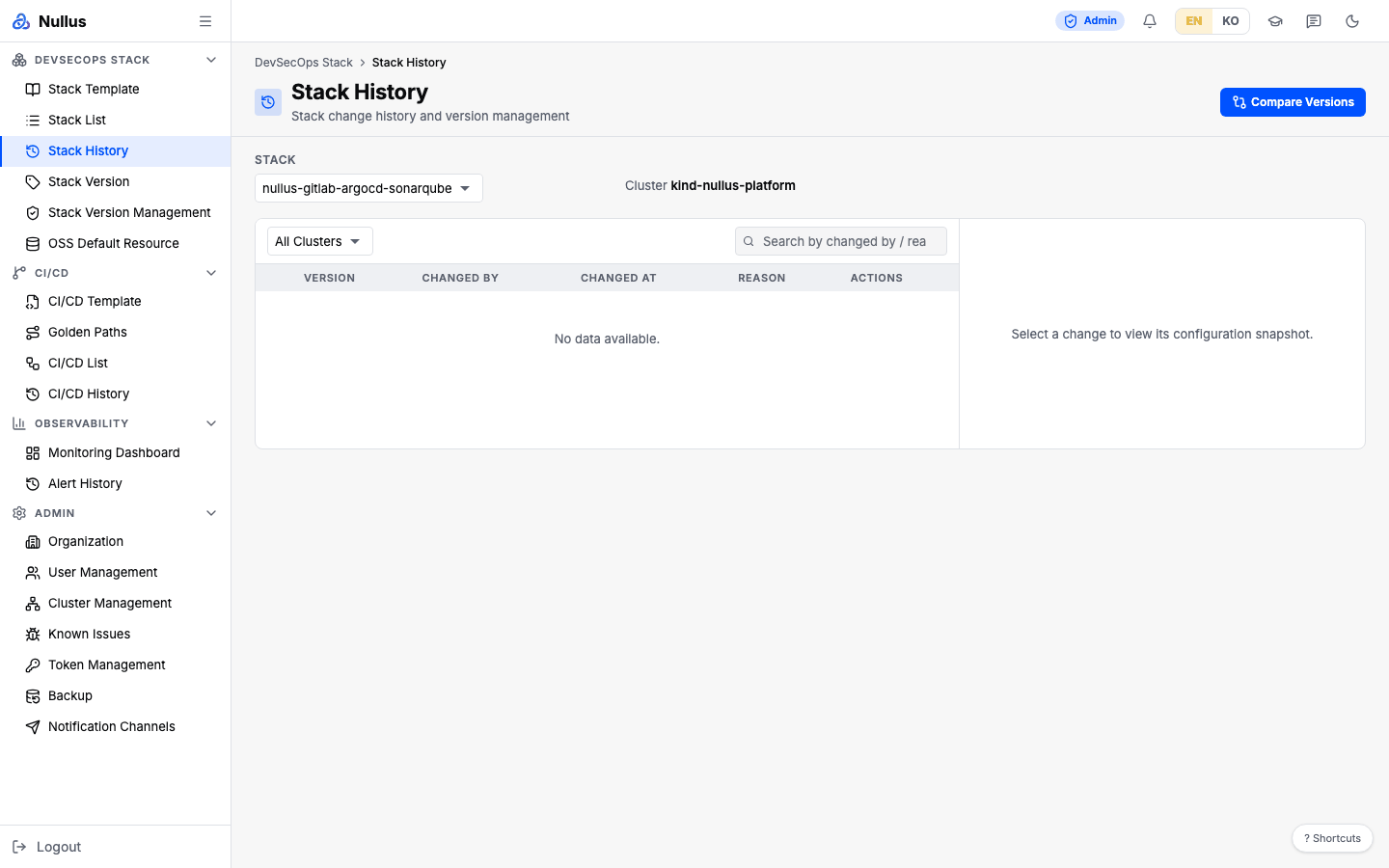
Table columns
| Column | Contents |
|---|---|
| (expand) | Button that expands the row |
| Version | The current version carries a CURRENT badge |
| Changed By | The person who made the change |
| Changed At | |
| Reason | |
| Actions | Log (go to the install log) · Rollback (not shown for the current version) |
The toolbar has a cluster selector and Search by changed by / reason.... The
Stack selector at the top switches to another stack's history.
When you select a row, the Configuration Snapshot for that point in time opens on the right as path→value pairs.
Compare versions
Click Compare Versions at the top, pick versions A and B, and see the
differences (GET /api/v1/stacks/{id}/history/diff?versionA=&versionB=).
Rollback
The Rollback button does not work right now
The frontend sends {version, preservePVC}, but the server requires
versionId. So the request gets a 400 with
ROLLBACK_REQUEST_INVALID / "versionId is required".
On top of that, the rollback dialog's Data Retention Options (Safe Mode —
Preserve data / Clean Mode — Delete volumes) and the DELETE confirmation
input for Clean Mode are never sent to the server. preservePVC does
not exist in the request struct at all. The server's rollback
implementation only copies the target version's configuration onto the
stack and writes one history entry.
Until this is fixed, the reliable route is to revert the values directly on the Config tab of Stack List.
APIs it calls
| Action | Endpoint |
|---|---|
| History | GET /api/v1/stacks/{stackId}/history |
| Compare | GET /api/v1/stacks/{id}/history/diff?versionA=&versionB= |
| Rollback | POST /api/v1/stacks/{stackId}/rollback (versionId required in the body) |