CI/CD Template
/cicd/templates admin devops
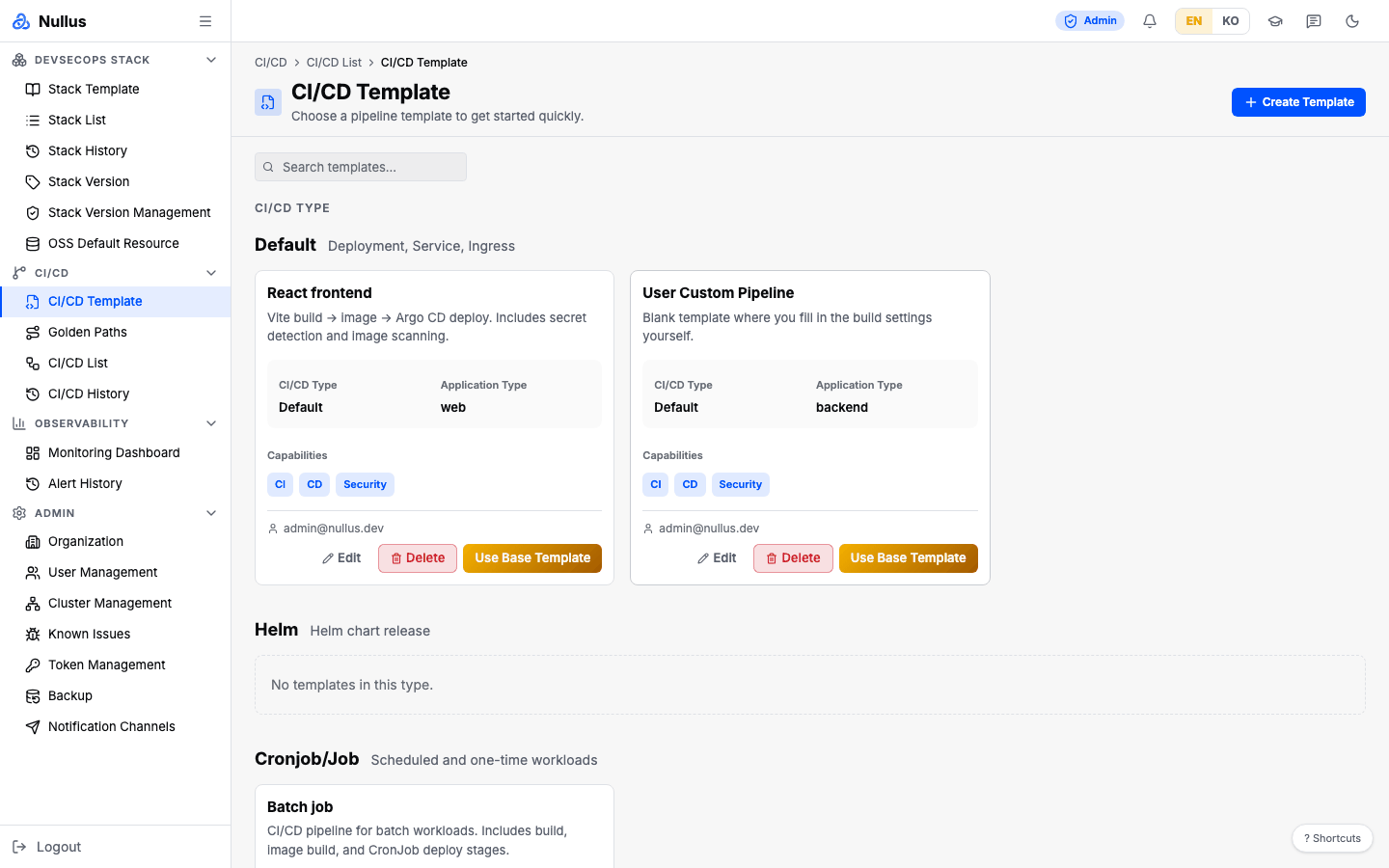
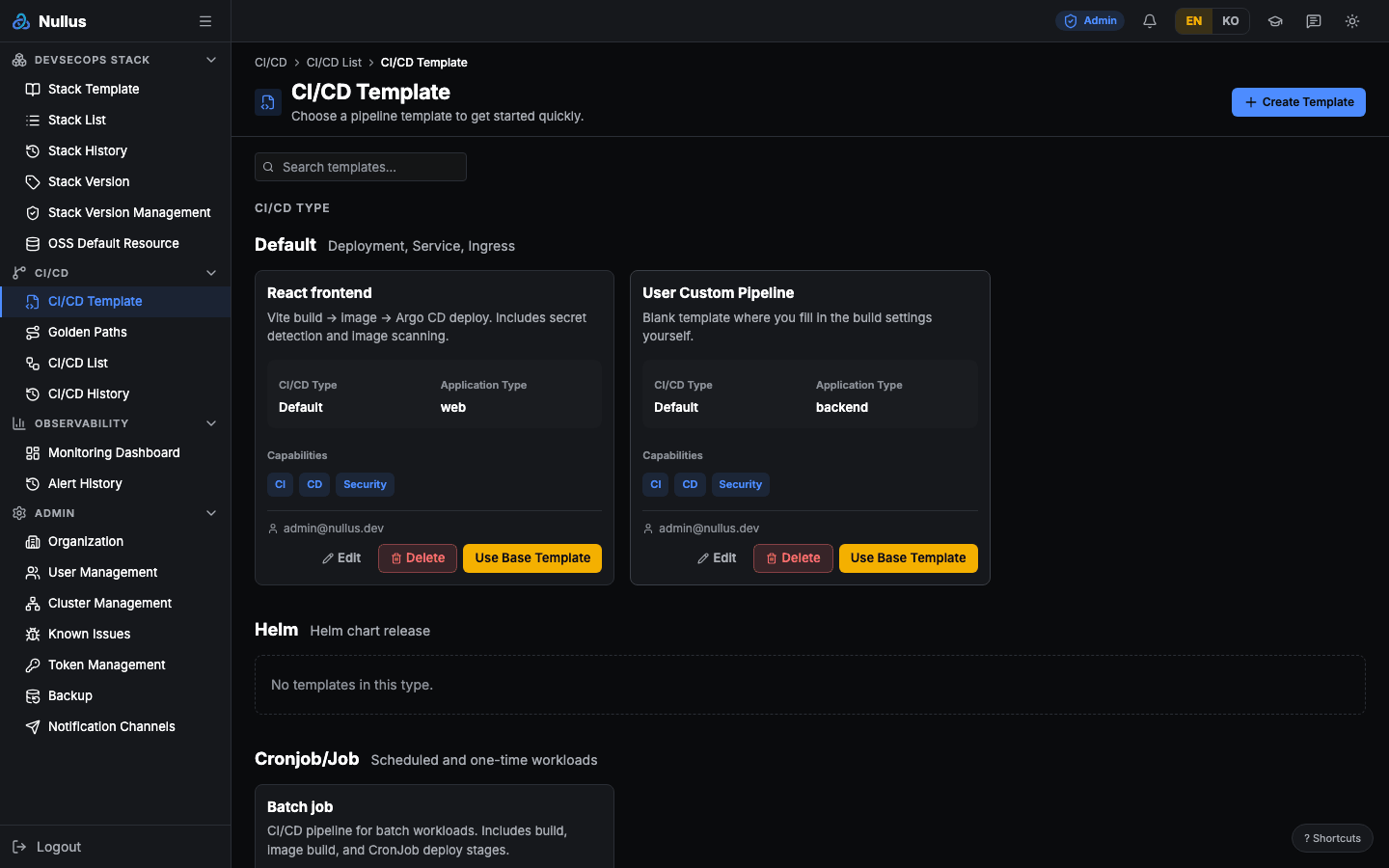
The screen where you pick a base pipeline template.
How to use it
- Browse the cards, or narrow them with search (matches name and description).
- Click Use Base Template on a card.
- You land on the App Deploy screen
(
/cicd/developer-deploy?template=…) with values prefilled.
It does not go to /cicd/create
A separate pipeline creation screen (/cicd/create) exists, but this button
does not go there. The details are in
CI/CD List.
Card layout
Templates are shown in three CI/CD Type groups — Default (Deployment ·
Service · Ingress) · Helm (Helm chart release) · Cronjob/Job. The screen
assigns the group itself by looking at the ID, name, and stages strings.
Each card shows the name, description, CI/CD Type, Application Type, Capabilities badges (CI · CD · Test · Security), and the creator. A template that imports a source also shows a Source box with the source repository and version (below).
The two Nullus sample app templates and the two eGovFrame templates are always sorted first.
The list differs from the server response
The screen changes two things.
- It removes
web-frontend-v1from the list - It shows
web-backend-v1renamed toUser Custom Pipeline
The description text also comes from a Korean/English table hard-coded in the
screen — not from the server's description.
Templates that import a source
When a template has a source, creating a pipeline copies a pinned commit of the source repository into the new app repository as its first commit. The platform then adds the CI definition and the deployment manifests on top.
Two are included by default (migration 000102).
| Template | Source | Build profile |
|---|---|---|
| eGovFrame Boot Sample (Spring Boot) | eGovFramework/egovframe-boot-sample-java-config v5.0.0 |
spring-boot |
| eGovFrame Web Sample (JSP) | eGovFramework/egovframe-web-sample v5.0.0 |
maven-war |
Both run on the embedded HSQLDB (in memory), so no separate database is needed. The app
listens on 8080 and opens at /.
How the source is imported
- It is not forked. Only the files of that commit are copied; the history is not. A fork only works within one host (GitHub → the stack's GitLab is impossible), and a fork of a public repository cannot be made private.
- The source is pinned to a commit SHA. Tags are not accepted because they can be
re-tagged — the
v5.0.0on the card is only a display name. - The API server downloads the source from
codeload.github.comwhen the pipeline is created. Internet access is required, so these templates cannot be used on an offline (air-gapped) installation. For now onlyhttps://github.comrepositories can be imported. - The source is imported only into a newly created repository. If downloading, checking, or committing fails, the repository that was just created is deleted and the request fails — no empty repository with only a README is left behind.
- A problem on the source host (offline · missing commit · rate limit · more than 1000
files or 32 MB):
502 TEMPLATE_SOURCE_UNAVAILABLE - A source that cannot be used (symbolic link · unsupported host):
422 TEMPLATE_SOURCE_UNSUPPORTED - It can only be created as a stack-bound pipeline. Creating one without a stack returns
400 TEMPLATE_SOURCE_REQUIRES_STACK. - If a repository with the same name already exists, neither the source nor the scaffold is written, and the source is not even downloaded (the same rule as other templates).
- The executable bit of source files is kept on GitLab and GitHub stacks. Gitea does not accept file modes.
Who owns which files
| Kind | Files |
|---|---|
| Kept from the source | Source code, README.md, the source Dockerfile (when the build profile does not replace it) |
| Owned by the platform | CI definition (.gitlab-ci.yml · .github/workflows/nullus-ci.yml · Jenkinsfile), deploy/, .pre-commit-config.yaml · .gitleaks.toml |
| Not imported | Other CI definitions in the source (.github/workflows/* and so on), the source's deploy/ |
The source's other CI definitions would run alongside ours, and Argo CD applies deploy/
as a whole, so neither is imported. What was dropped or replaced is written to the
repository's NULLUS.md — instead of overwriting the source README, the flow, variables,
and origin are explained in that file. Refresh definition rewrites only the CI
definition and works the same for repositories with a source; when the repository is
missing and has to be recreated, the source is imported again as on creation.
Build profiles
| Profile | Dockerfile | Deployment manifest |
|---|---|---|
spring-boot |
The source's if it has one; otherwise a Dockerfile that builds the executable jar with Maven and runs it on eclipse-temurin:17-jre |
readiness (TCP), memory 384Mi/768Mi, CPU 200m/1 |
maven-war |
Always the platform's — builds a WAR with Maven and deploys it to tomcat:10.1-jdk17-temurin as ROOT.war |
readiness (TCP), memory 512Mi/1Gi, CPU 250m/1 |
- The eGovFrame boot sample v5.0.0 has no Dockerfile, so the platform writes one (the source's main branch gained one later).
- The eGovFrame web sample's own Dockerfile copies a pre-built
target/*.war, so it does not work with the CI'sdocker build .. That is whymaven-waralways replaces it. - Maven tests are skipped (
-Dmaven.test.skip=true) — the source tests include Selenium tests that need a browser. - The readiness probe checks that the port is open rather than an HTTP path. There is no
guarantee of an actuator or a
/response (the eGovFrame boot sample v5.0.0 has no actuator).
When the source repository is updated
- The repository of a pipeline that already exists does not change. From the moment it is imported, it is the user's code.
- A new pipeline gets the commit pinned in the template. A new version of the source arrives only for pipelines created after the template's source commit is bumped.
- A pipeline records the source it was first imported from (repository and commit —
pipeline.sourcein the API response). Even after the template's commit moves on, you can tell where that repository started. - Framework security patches and upgrades come through the dependency versions in
pom.xml, not through the sample code.
Managing the source through the API
A template's source consists of repo_url · commit (a 40-character lowercase SHA) ·
label · build_profile ("" · spring-boot · maven-war). The create and edit dialogs
on the screen do not handle the source, so it can only be set through the API. An update
request without source keeps the stored source, {} clears it, and sending only some of
the fields returns 400. Saving checks that the address can be imported (for now,
https://github.com/<owner>/<repository>).
Create, edit, delete (admin)
Create Template · Edit · Delete are visible only to admin.
The fields are Template ID (locked when editing) · Name · Description ·
Application Type (web · backend · batch) · Capabilities checkboxes
(CI · CD · Test · Security). Name is required, and you must select at least one
capability.
Capabilities are saved into the stages column
On save, the dialog writes the checked Capability labels as-is into the
server's stages column. So a template that admin creates has values that
are not real stage names, such as stages = ["CI","CD"]. Those values are
later drawn as the stage list in the history tab of CI/CD List, so
the stages can look odd.
APIs it calls
| Action | Endpoint |
|---|---|
| List | GET /api/v1/cicd/templates |
| Create | POST /api/v1/cicd/templates |
| Update | PUT /api/v1/cicd/templates/{id} (fields you don't send keep their existing values) |
| Delete | DELETE /api/v1/cicd/templates/{id} |
developer cannot get here from the menu
The route allows developer, but there is no sidebar entry. A developer can get in through the start button on the home screen, but once they leave, the menu offers no way back.